How to Safely Use Overhead Garage Storage (Loading & Inspection Guide)
Last updated:
Disclosure: This article contains affiliate links. If you buy through these links, we may earn a commission at no extra cost to you. We do not claim hands-on testing unless clearly stated.
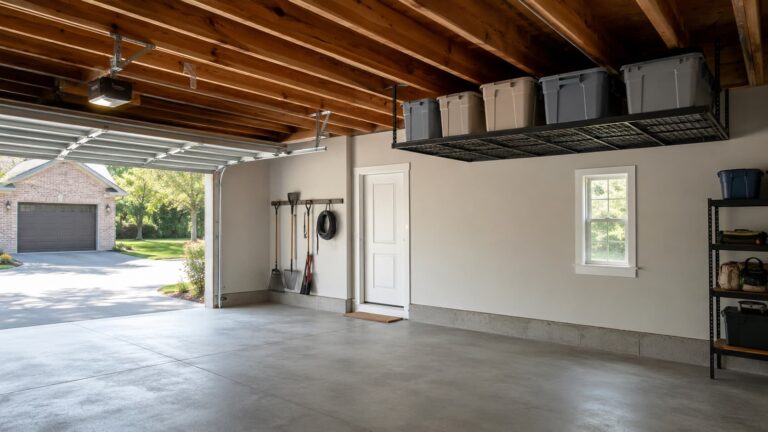
Most overhead-rack incidents in residential garages happen during use, not at install. The rack didn’t fail because the steel was weak — it failed because the load was wrong, the distribution was off, or nobody had checked the lag bolts in 18 months. This guide is the ongoing-use methodology that picks up where install ends: how to load a bolt-down ceiling-mounted overhead storage rack, how to distribute weight on it, how to inspect it on a real cadence, and how to recognize when something has moved past safe DIY use.
What this guide does NOT cover: install methodology (for that, see how to install overhead garage storage), rack selection (see the best overhead garage storage racks roundup if you haven’t bought yet), motorized lift systems, and drywall-anchor or “no-drill” install alternatives — those are out of scope here. Every load-bearing number below defers to the manufacturer’s listed capacity for your specific rack; this article gives the methodology, and your kit’s manual gives the spec.
Quick Answer — The Three Rules That Cover Most Risk
If you remember nothing else from this guide, remember these three rules. They cover most of the avoidable risk on a properly installed rack.
- Stay at 60-70% of manufacturer-listed capacity. The full figure assumes ideal install on ideal joists with perfectly distributed load. Real installs rarely meet all three at once — the headroom protects you against the variables you can’t fully control.
- Concentrate heavy items toward the center of the rack’s long axis; lighter items toward the edges. This is a loading principle, not a preference. Edge-loading concentrates force at the bracket-to-frame joints, which is a different failure mode from mid-span deflection.
- Inspect on a cadence: day 1, week 1, month 1, then every 6-12 months. Loosening is detectable early. The cost of an inspection routine is low; the cost of catching loosening late is high.
These rules apply to racks installed via the standard joist-mount bolt-down method described in our install methodology. For motorized lifts or drywall-anchor systems, the rules differ.
How Much Weight Is Safe? (The 60-70% Rule)
Manufacturer-listed total capacity is a ceiling, not a target. The listing states what the rack can hold under ideal conditions — and ideal conditions assume four things, all true simultaneously:
- Every lag bolt seated correctly into solid joist wood (not into a gap, not into rotted or split wood, not at an angle)
- Every joist crossed by a bracket meets the manufacturer’s minimum size and spacing spec
- The load is distributed evenly along the rack’s long axis with heavy items concentrated near the center
- The install hasn’t lost holding force to temperature swings or vibration over time
Real installs rarely meet all four perfectly. Joist quality varies across a single garage, weight distribution drifts as you add and remove items, lag bolts loosen slowly under thermal cycling. The 60-70% rule is your buffer against the cumulative drift.
A worked example: the FLEXIMOUNTS GR48 4×8 overhead rack carries a manufacturer-listed capacity of 750 lb rated (1,200 lb tested), and the SafeRacks 4×8 overhead rack carries 600 lb — plan your real-world load at 60-70% of whichever rack you have: 450-525 lb on the FLEXIMOUNTS, 360-420 lb on the SafeRacks. If you’re putting 580 lb on a 600 lb rack, you’re using nearly the whole engineering margin as routine storage, which leaves nothing for the variables above.
For more on matching rack capacity to ceiling structure during the buying step, see how to choose overhead garage storage.
Weight Distribution Patterns (And Why They Matter More Than You Think)
The most common misconception about overhead-rack loading is that “evenly spaced” equals “evenly loaded”. It doesn’t. Three patterns determine whether the rack carries weight the way the engineering assumes.
Center vs. edges
The rack’s bracket-to-joist connection points carry the load up into the structure. The frame between those brackets bridges the load. Manufacturers typically engineer for heavier loading toward the center of the long axis because that distributes force most cleanly across the bracket-to-joist interfaces.
Edge-loading — putting your heaviest items at the outside corners of the rack — concentrates force at the bracket-to-frame joints in a way the rack wasn’t optimized for. The failure mode is different: instead of mid-span deflection (which most readers correctly imagine), edge load increases stress on the bracket attachment to the frame, which can loosen connecting hardware over time. Verify the specific guidance in your kit’s manual — some manufacturers state the rule explicitly, and that statement always wins over general principle.
Stacked vs. spread
A 30 lb bin stacked on top of another 30 lb bin acts as a point load — 60 lb concentrated at a small area on the decking, with tipping potential if the upper bin shifts. The same 60 lb spread as two bins side-by-side acts as a distributed load — gentler on the rack and lower tip risk.
The practical rule is spread before you stack. Stack only when the lower bins are stable, fully seated against each other, and the upper one can’t slide off the lower one when the rack flexes slightly. If you’re stacking three high, the stability calculus gets harder fast; consider whether the items in the upper bin are ones you actually retrieve regularly.
Heavy vs. bulky
Heavy means weight in a small volume — a metal toolbox, a battery, dense seasonal storage. Bulky means volume with little weight — holiday decorations, cushions, light camping gear, empty totes for sorting.
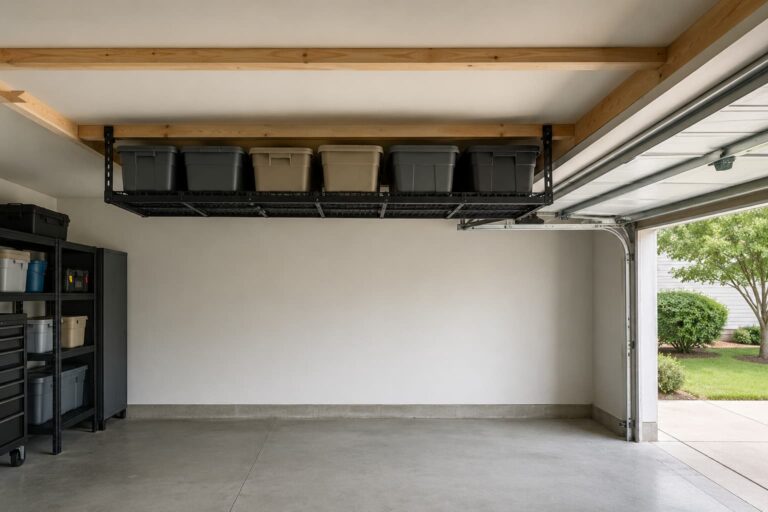
The pattern: heavy toward the center of the long axis, bulky toward the edges. Heavy items in the middle keep the load profile inside the engineering assumption; bulky items at the edges add volume without adding stress to the bracket joints. If you’re storing both kinds, sort by weight class before you stack — don’t sort by season or category.
Inspection Cadence — When and What to Check
Inspection isn’t a one-time post-install step. It’s a routine that catches slow loosening before it accelerates. Four intervals, each with specific checks.
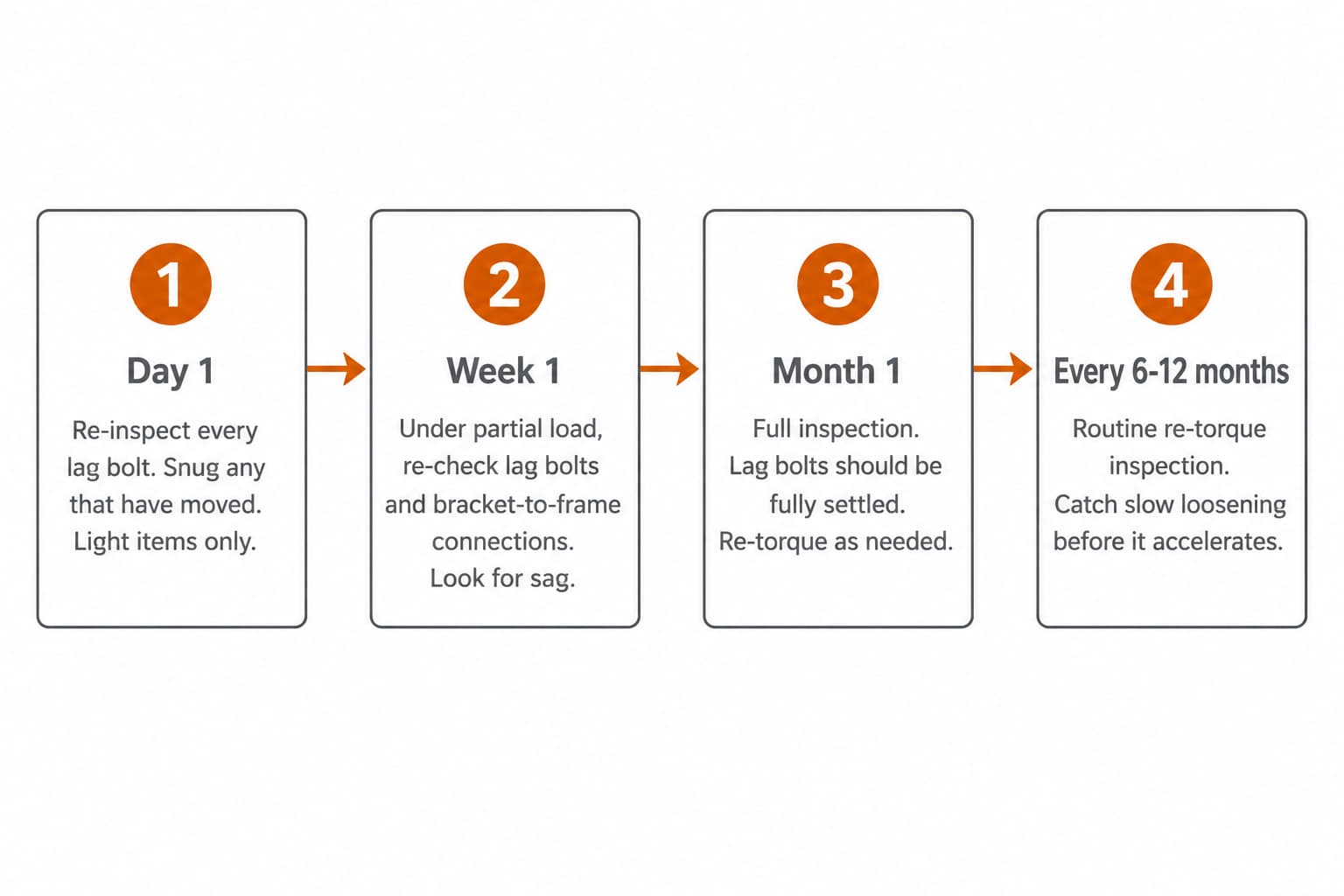
Day 1 (24 hours after install, before serious loading): Re-inspect every lag bolt for any visible shift since install. Snug any that have moved using the manufacturer’s torque guidance. Load with light items only on this first day — the bolts are still settling into the joist wood under their first sustained load.
Day 7 (after a week of partial load): Under partial load, re-check every lag bolt and every bracket-to-frame connection. Look for any sag along the rack’s long axis, any deflection in the brackets where they meet the ceiling, any visible gap between bracket and ceiling that wasn’t there at install.
Day 30 (one-month full inspection): Lag bolts should be fully settled by now. Re-torque any that have moved. From here forward, the rack is in steady-state use — items can be redistributed if needed.
Every 6-12 months thereafter: Routine re-torque inspection. This catches the slow-loosening pattern that thermal cycling and occasional vibration produce over time. Mark it on a calendar. The cost is 15 minutes; the cost of missing it is a sagging rack you didn’t catch.
What you’re looking for at each inspection: lag-bolt heads at the same depth they were yesterday, brackets flush against the ceiling at every point along their footprint, the rack’s long axis level (within the small leveling tolerance the manual allows), no visible cracks in the joist wood radiating from a lag-bolt hole, and no daylight between the bracket and the ceiling.
What you don’t need to check on the daily: the decking panels, the items themselves (visually obvious), or the bolts connecting the frame to itself — those rarely loosen under normal load.
Warning Signs (When the Rack Is Telling You Something)
The rack will signal trouble in three sensory categories. Knowing the vocabulary helps you separate normal break-in noise from a real warning.
What you can see
- Visible sag along the rack’s long axis — more than about a quarter inch of deflection under load that wasn’t there yesterday
- A lag-bolt head at a different depth than it was at install (one or more has backed out, even slightly)
- Daylight between a bracket and the ceiling at any point along the bracket footprint
- A crack in joist wood radiating from a lag-bolt hole
- The rack visibly tilting in one direction (one end higher than the other beyond the leveling tolerance the manual allows)
Any of these means stop loading and inspect. The first two are commonly the earliest signals.
What you can hear
- A creak when you place a new item on the rack — one creak under first load is usually the load distributing into the brackets and is normal; persistent creaking under static load (no new items being placed) is not normal
- A click or pop sound from the ceiling area near the rack while the rack is loaded but not being touched
- The rack reacting audibly to a slammed garage door — a vibration signature suggests loose connections somewhere along the bracket-to-frame path
What you can feel
- Visible flex when you push gently upward on the rack frame from below in the empty or partial-load state
- A bin that wasn’t sliding yesterday now slides on the decking — the decking has shifted slightly, or the rack itself has tilted enough to change the surface angle
- A bracket that wiggles by hand at the ceiling — the lag-bolt holding force has dropped
Each sign has a “what to do next”: stop adding load, inspect the affected bracket, snug the relevant lag bolt to manufacturer torque spec, and watch for repeat occurrence over the next 30 days.
When to Stop Using It and Call a Contractor
This article gives storage-usage advice. Anything beyond that needs a different professional standard. Stop using the rack and call a licensed contractor — not a more careful DIY attempt — if you see any of these:
- Cracking in the joist wood around a lag-bolt hole (the structural member has been damaged)
- A bracket that has visibly pulled away from the ceiling at any point along its footprint (load has overwhelmed the bracket-to-joist connection)
- Drywall cracks radiating outward from the install zone (the ceiling damage suggests load was outside what the structure could carry)
- Visible sag that grew between inspections — any progression of an existing sag is a serious signal
- A sound during normal use that you don’t recognize and can’t trace to a known source
Also bring in a contractor (and your home insurance) if a rack has actually failed in service. The post-failure call is about what was structural, what was the rack, and what your insurance covers — not about reinstalling on the same ceiling that just showed it couldn’t carry the previous load. Don’t DIY a re-install on damaged structure.
This isn’t a failure of DIY skill. It’s a question of scope. Overhead-rack usage is a storage task. Cracked drywall, joist damage, or a rack that has visibly moved is structural work — different scope, different professional standard.
Tools and Products That Help
For ongoing safety inspections, useful tools include:
- Stud finder with deep-scan and AC detection — used during inspections to verify each lag bolt is still in solid joist wood; AC detection useful if drywall has cracked near a bracket and electrical may now be exposed
- Torque wrench (or socket wrench with manufacturer-spec guidance) — for re-torquing lag bolts at the 6-12 month cycle to the manufacturer’s listed torque figure
- Flashlight — sounds basic, but most inspections benefit from raking light across the bracket footprint to catch movement that’s invisible under flat overhead light
The two well-documented bolt-down racks the safety-usage advice in this article applies cleanly to are the FLEXIMOUNTS GR48 4×8 overhead rack and the SafeRacks 4×8 overhead rack with 24-45 inch drop — both publish post-install care guidance from their manufacturer pages, which makes the cadence in this article easy to cross-reference against your specific kit’s torque and spacing spec.
For picking a rack in the first place, see how to choose overhead garage storage. For the install methodology this article picks up from, see how to install overhead garage storage. For low-ceiling installs specifically (under 9 feet), see best overhead garage storage for low ceilings.
Common Mistakes
Mistake 1: Treating the manufacturer-listed capacity as a target
What it looks like: The rack carries a 600 lb manufacturer-listed total capacity, and the reader stacks 580 lb on it to “make use of the space”.
Why it’s a problem: The listed figure assumes ideal install on ideal joists with perfectly distributed load. Real installs rarely meet all the assumptions simultaneously. Using the full figure as routine working load leaves nothing for the variables — and the variables are the part that drifts over time.
What to do instead: Apply the 60-70% rule. Plan for 360-420 lb on a 600 lb rack. The margin is your real safety factor, not “extra capacity going to waste”.
Mistake 2: Edge-loading because it “looks balanced”
What it looks like: The reader places the heaviest items at the outside corners of the rack, evenly spaced — and the rack visually looks balanced.
Why it’s a problem: The rack’s bracket-to-frame joints concentrate force differently than mid-span deflection. Edge-loading increases stress on the bracket attachment to the frame, which is a different failure mode from the one most readers correctly imagine. The rack looks balanced and isn’t.
What to do instead: Concentrate heavy items toward the center of the long axis. Lighter or bulky items at the edges. The rack will look slightly less symmetrical and load more correctly.
Mistake 3: Inspecting only when something feels wrong
What it looks like: The rack hasn’t been touched in 18 months. The reader notices a sag, and only then opens an inspection.
Why it’s a problem: By the time the sag is visible, the loosening has already progressed past the easy-fix window. A bolt that has backed out a quarter inch will not return to original holding force by snugging — it’s now a different lag bolt with less effective grip in the joist wood.
What to do instead: Inspection cadence — day 1, week 1, month 1, then every 6-12 months. Calendar it. The 15-minute routine catches loosening at the stage where snugging actually does restore holding force.
Mistake 4: Continuing to use a rack that has shown a warning sign
What it looks like: A lag bolt has backed out a quarter inch. The reader snugs it once and keeps using the rack at full load.
Why it’s a problem: A bolt that backed out has lost grip in the joist wood — the pull-out occurred for a reason, and re-tightening doesn’t restore the original holding force. It re-seats what’s left, which is less than what was originally there.
What to do instead: Snug the bolt, reduce the load to 40-50% of manufacturer-listed capacity for a 30-day re-inspection window, and contact manufacturer support if the bolt backs out a second time. Don’t keep loading at full capacity on a rack that has signaled a problem.
How much room an overhead rack leaves under it
Rack makers publish how far the unit hangs below the ceiling. What they never publish is the number you actually need: how much headroom is left underneath once it is up — which is what decides whether your car still fits, or whether the garage door can still swing open. This table restates each rack’s published drop and works out the remaining clearance for the two ceiling heights most American garages have.
| Rack | Published ceiling drop | Clearance under it — 8 ft ceiling | Clearance under it — 9 ft ceiling | Deck size | Stated capacity | Joist requirement | Specification source | Source checked |
|---|---|---|---|---|---|---|---|---|
| SafeRacks 4 ft × 8 ft | 12–45 in | 51–84 in | 63–96 in | 48 × 96 in | 600 lb | brackets span two wood joists; not for I-beams | SafeRacks 4×8 Overhead Rack | 2026-09-14 |
| FLEXIMOUNTS GR48 Classic 4 ft × 8 ft | 22–40 in | 56–74 in | 68–86 in | 96 × 48 in | 750 lb rated (1,200 lb tested) | joist spacing ≤ 24 in; if spacing > 24 in, only 48 in spacing | FLEXIMOUNTS GR48 Classic 4′ × 8′ | 2026-09-14 |
| Gladiator Overhead GearLoft 4 ft × 8 ft | 23–37 in | 59–73 in | 71–85 in | 48 W × 96 D in | 1,000 lb per unit | ceiling mounted, assembly required (spacing not published) | Gladiator Overhead GearLoft 4 × 8 | 2026-09-14 |
How these numbers were produced: Ceiling drop, deck size, capacity and joist requirements are quoted from each manufacturer’s own product page on the date shown. Clearance underneath is arithmetic: ceiling height minus the published drop, at 8 ft (96 in) and 9 ft (108 in). The range runs from the rack’s lowest setting (least clearance) to its highest. The calculation treats the published drop as the distance from ceiling to deck and ignores deck thickness, so treat the result as the optimistic figure and measure before you drill.
- Measure where you will actually mount it. The garage door track, the opener rail and the door in its open position occupy the ceiling near the door — the clearance that matters there is not the clearance mid-garage.
- Clearance is to the underside of the deck. Anything hanging below the deck, and the deck’s own thickness, eats into it.
- Joist spacing is a hard constraint, not a preference: these racks are rated only when fixed into wood joists at the spacing the manufacturer states.
- Capacity figures are the manufacturer’s stated maximum for a correctly installed rack. Real-world performance depends on assembly, the fixings used, joist condition and how the load is distributed.
- A blank cell means the manufacturer does not publish that figure — we do not fill gaps with numbers we could not source.
These are the entries that matter for this guide. The full table, with every row and its source, is in our How much room an overhead rack leaves under it.
FAQ
How often should I inspect my overhead garage storage rack?
On a cadence: day 1 (24 hours after install), week 1 (after a week of partial load), month 1 (full settle inspection), then every 6 to 12 months thereafter. The routine catches slow loosening at the stage where it’s still easy to correct. Inspecting only when something looks wrong is too late — by the time the sag is visible, the loosening has progressed.
How much weight can I really put on an overhead garage storage rack?
Manufacturer-listed total capacity is the ceiling, typically 400-600 lb for residential bolt-down ceiling racks. Your real working load is 60-70% of that figure — so 360-420 lb on a 600 lb rack. The headroom is your buffer against the variables (joist quality, install precision, weight distribution drift, slow loosening over time) that the listed figure assumes are all ideal. Defer to your specific kit’s manual for the exact number.
Where should I place heavy items on the rack?
Toward the center of the rack’s long axis. Manufacturers typically engineer for center-loaded heavy items because that distributes force most cleanly across the bracket-to-joist interfaces. Edge-loading concentrates stress at the bracket-to-frame joints — a different failure mode from mid-span deflection, and one most readers don’t anticipate. Verify the specific guidance in your kit’s manual.
My rack creaks when I put something on it — is that normal?
One creak under a new load is usually the load distributing into the brackets and is normal — it’s the same physical event as a wooden chair creaking when you sit down. Persistent creaking under static load (when nothing is being added or moved) is not normal and warrants inspection of every lag bolt and bracket connection. If the creaking returns within 30 days of the inspection, contact manufacturer support.
I noticed a lag bolt has backed out slightly — what should I do?
Snug the bolt to the manufacturer’s listed torque. Reduce the rack’s load to 40-50% of manufacturer-listed capacity for a 30-day re-inspection window. If the bolt backs out a second time during that window, stop using the rack and contact manufacturer support — the bolt has lost holding force in the joist wood, and re-tightening only re-seats what’s left.
Can I store anything I want up there, as long as the rack can hold the weight?
Weight is one constraint; what fails safely is another. Liquids that could leak onto a car below, fragile items that wouldn’t survive a partial bracket slip, flammable materials near electrical runs — all are reasons to pick a different storage location even if the rack can carry the weight. The question isn’t only “can the rack hold this” but “what happens if the rack moves slightly while this is up there”.
Sources Reviewed
Editorial synthesis from rack manufacturers’ published care and inspection guidance (FLEXIMOUNTS and SafeRacks both publish post-install care PDFs and product pages with ongoing-use recommendations), retailer product pages, and publicly-discussed inspection and loading patterns in homeowner discussions. We do not claim hands-on testing. Every load-bearing number in this article is framed as “manufacturer-listed” and defers to the reader’s specific kit’s manual for the figures that apply to their install.
Related Guides
- How to install overhead garage storage — the install methodology this article picks up from
- How to choose overhead garage storage — the upstream buying guide if you haven’t picked a rack yet
- Best overhead garage storage racks — the roundup of joist-mount racks suitable for the safety-usage methodology in this article
- Best overhead garage storage for low ceilings — for installs where ceiling height is under 9 feet